
2013年11月25日(月) [長年日記]
■ [java] JInternalFrameの大きさ変更中はフレームのGlassPaneが可視になる
JInternalFrameを使っていて、
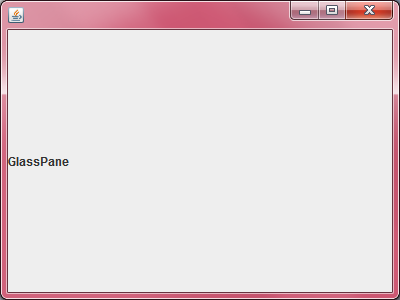
- 内部フレームの縁をドラッグして大きさを変えようとするとフレームのGlassPaneが表示される
という現象に遭遇したのでメモ。Javaのバージョンは1.7.0_45。
javax.swing.plaf.basic.BasicInternalFrameUI.BorderListener のソースに、
                if (c instanceof RootPaneContainer) {
                    Component glassPane = ((RootPaneContainer)c).getGlassPane();
                    glassPane.setCursor(Cursor.getPredefinedCursor(
                        Cursor.DEFAULT_CURSOR));
                    glassPane.setVisible(false);
                }
                if (c instanceof RootPaneContainer) {
                    Component glassPane = ((RootPaneContainer)c).getGlassPane();
                    glassPane.setVisible(true);
                    glassPane.setCursor(s);
                }
というコードがあって、このせいみたい。マウスカーソルの形状を変更しようとしているのかな。
動作確認用のコードを示しておく。
import java.awt.BorderLayout;
import javax.swing.JDesktopPane;
import javax.swing.JFrame;
import javax.swing.JInternalFrame;
import javax.swing.JLabel;
import javax.swing.SwingUtilities;
import javax.swing.WindowConstants;

public class IFrame {
    public static void main(String[] args) {
        SwingUtilities.invokeLater(new Runnable() {
            @Override
            public void run() {
                showFrame();
            }
        });
    }

    public static void showFrame() {
        JFrame frame = new JFrame();
        frame.setDefaultCloseOperation(WindowConstants.EXIT_ON_CLOSE);

        // GlassPaneに不透明なコンポーネントを設定
        JLabel glass = new JLabel("GlassPane");
        glass.setOpaque(true);
        frame.setGlassPane(glass);

        final JDesktopPane desktop = buildDesktop();
        frame.add(desktop, BorderLayout.CENTER);

        frame.setSize(400, 300);
        frame.setVisible(true);
    }

    public static JDesktopPane buildDesktop() {
        JDesktopPane desktop = new JDesktopPane();

        JInternalFrame iframe = new JInternalFrame("hello", true);
        iframe.setSize(100, 100);
        iframe.setVisible(true);

        desktop.add(iframe);

        return desktop;
    }
}
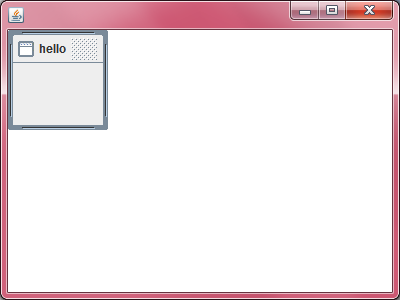
- 通常の画面
- 内部フレームリサイズ中の画面
[ツッコミを入れる]